

Set up EkLine Docs Reviewer as a GitHub Action
Checks run automatically on every Pull Request. Most users catch 2-3 issues they didn’t know existed on their first run.
-
Copy your token
Go to Settings > Organization > Access in the EkLine Dashboard and copy your integration token.
-
Add it to GitHub
In your repository: Settings → Secrets and variables → Actions → New repository secret
Field Value Name EK_TOKENSecret your token 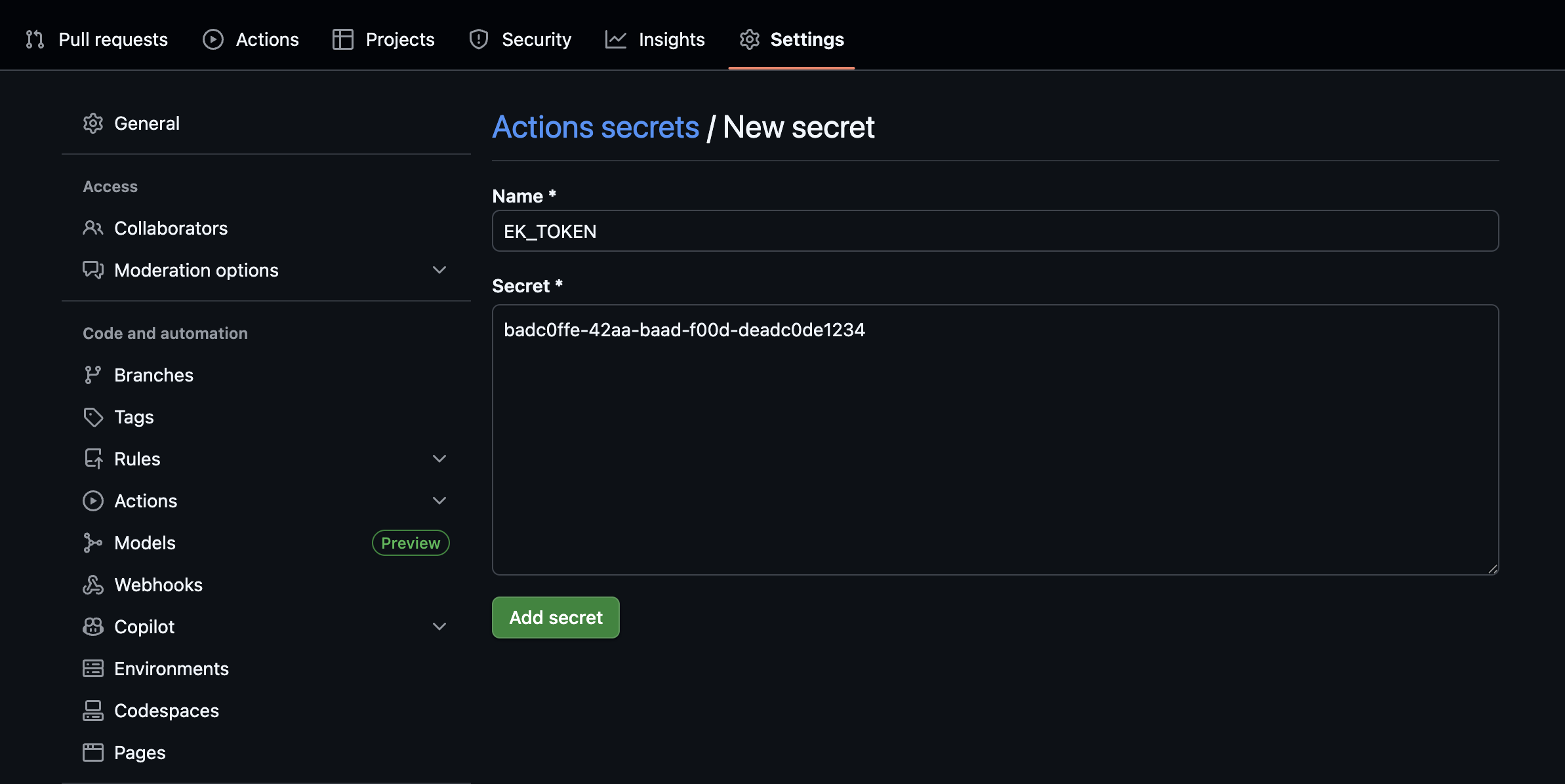
-
Create the workflow. Go to Action → New Workflow → set up a workflow yourself.
Add this file to your repo at
.github/workflows/ekline.yml:name: EkLineon: [pull_request]jobs:docs:runs-on: ubuntu-latestpermissions:contents: readpull-requests: writesteps:- uses: actions/checkout@v4- uses: ekline-io/ekline-github-action@v6with:content_dir: .ek_token: ${{ secrets.EK_TOKEN }}github_token: ${{ secrets.GITHUB_TOKEN }}reporter: github-pr-review -
Open a PR
Commit the workflow and open a Pull Request. EkLine reviews it automatically.
That’s it
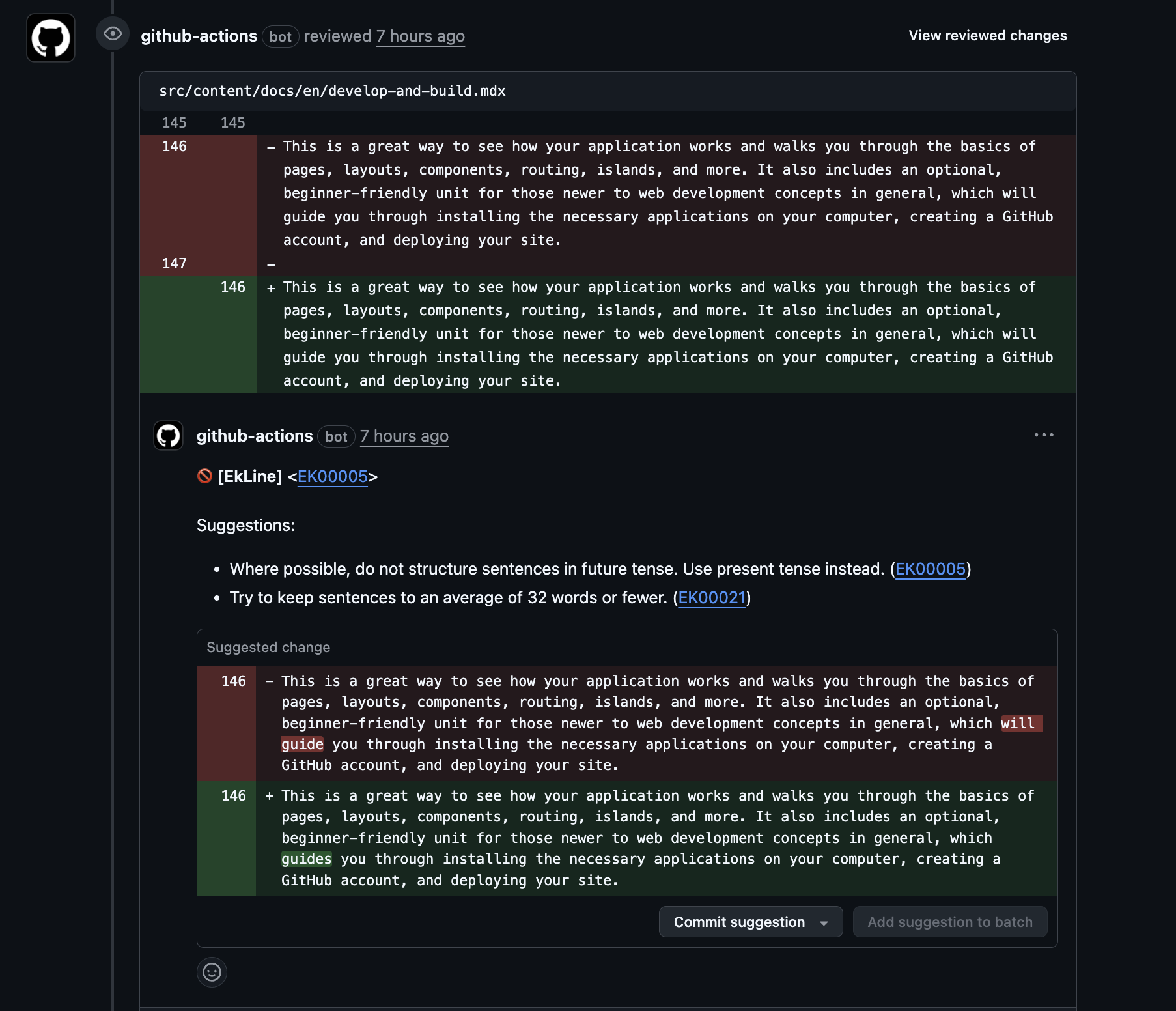
Section titled “That’s it”You can see inline comments on your PR like:
EK00005: Where possible, don’t structure sentences in future tense. Use present tense instead.
Stuck?
Section titled “Stuck?”Reply to your welcome email or contact support@ekline.io. We read every message.